
Fees & tools
USDT in MetaMask but insufficient funds: check gas before sending again
USDT has arrived, but MetaMask will not send it. Check the receiving network and account, compare eligible token-paid fees, and learn when native ETH is needed.
USDT in MetaMask but “insufficient funds” when you try to send it? A token balance and a usable network-fee balance are different things. Before depositing more money, check the network, the account holding the tokens, and the payment options beside the fee.
This guide covers USDT already received on Ethereum Mainnet. It does not diagnose missing deposits, exchange withdrawal reviews, or transfers on other networks.
Why the withdrawal fee did not pay for your next transfer
An exchange withdrawal and a later transfer from your wallet are separate transactions. The charge shown when you withdrew USDT does not prepay every future movement. Our guide to exchange withdrawal charges and network fees explains that first part of the journey.
At the Ethereum protocol level, transaction fees are paid in ETH. Sending an ERC-20 token still uses network computation, even though the asset being moved is USDT. Fee estimates also change with network conditions; there is no universal ETH amount that guarantees every token transfer. These mechanics are documented in Ethereum’s gas overview.
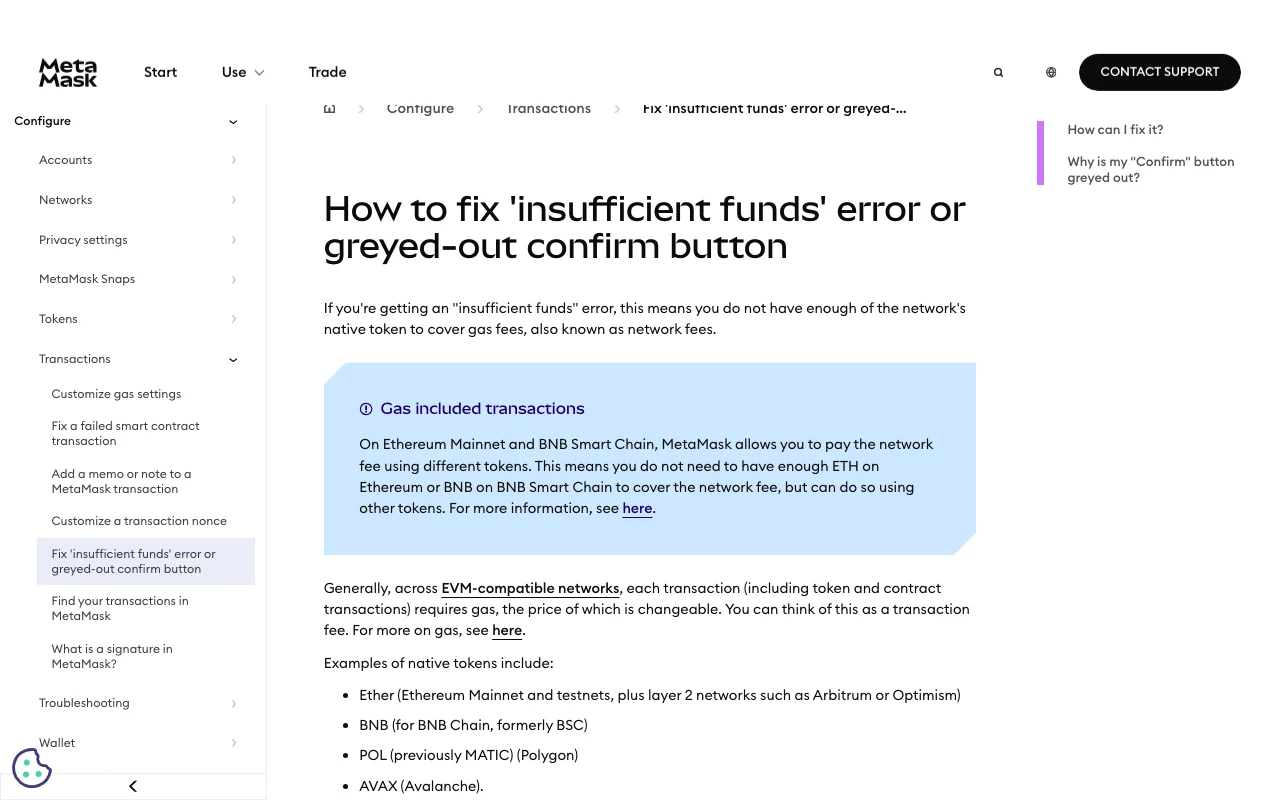
That does not mean every MetaMask user must separately acquire ETH. Eligible wallet transactions can offer another way to fund the fee, as described below.
Screenshot of the public MetaMask troubleshooting page, captured October 1, 2026. The notice explains why an empty ETH balance is not the only thing to check.
First, establish where the USDT actually is
Before changing a fee or making another withdrawal, write down three details from your own records:
- The network used for the original withdrawal.
- The receiving wallet address, matched against the account you currently selected.
- Whether the incoming transaction completed on that network.
Do not treat the wallet’s combined dollar value as an available gas balance. Also distinguish the token’s contract address from your own receiving address. MetaMask explains how to inspect token information in its contract-address guide.
If the original withdrawal used another network, stop applying Ethereum-specific instructions. Follow the separate guide to checking a deposit sent on the wrong network before sending additional funds. Switching a wallet’s network view is not a transfer between networks.
Route A: check whether the confirmation offers token-paid fees
MetaMask’s gas included transaction documentation lists Ethereum Mainnet support for sends and dapp transactions, with USDT among the eligible fee tokens. It requires Smart Transactions and Estimate balance changes to be enabled.
For a send you actually intend to make:
- Check the recipient, network and amount on the confirmation screen.
- Look beside Network fee for the token selector.
- If an eligible token is offered, compare the displayed fee and the resulting balance before choosing it.
The estimate includes a MetaMask fee. “Gas included” means a different payment arrangement, not a free transfer. Availability depends on the supported transaction and tokens; a balance alone does not guarantee that the option will appear. Treat your actual confirmation screen as the decision point, rather than assuming a feature shown in a guide is active for your account.
Route B: fund the correct account with native ETH
If no eligible alternative is offered, MetaMask’s insufficient-funds guidance recommends adding the network’s native token to the account making the transaction. For this Ethereum Mainnet scenario, that means ETH on Ethereum Mainnet.
Check the address and network again before arranging that transfer. Review the sending platform’s minimum withdrawal and fee so you know the amount expected to arrive. Use the wallet’s current estimate to plan the balance, then check it again after the ETH arrives. Do not substitute a fixed amount copied from an old tutorial.
For an unfamiliar funding route, use the small test withdrawal checklist, accounting for minimums and the extra fee a test may incur.
If it still will not send
Record the exact error and check whether a transaction was submitted before creating another attempt. A disabled confirmation button, a pending transaction and a transaction that executed unsuccessfully are different states. Ethereum documents that an executed but failed transaction can still consume gas; repeatedly retrying is not a diagnosis.
For official support, prepare the network name, transaction hash if one exists, and a screenshot with personal details hidden. Never include a recovery phrase, private key or login code. If the displayed balance is unexpected or the wallet warns about the recipient or transaction, pause rather than treating every problem as a request for more ETH.
Official documentation checked October 1, 2026. Recheck current fee options in your wallet before confirming.