
Platform guides
Kraken withdrawal address confirmation email not arriving: what to check
Missing a Kraken withdrawal address email? Check whether approval is needed, troubleshoot delivery, handle expired links, and recognize requests you did not make.
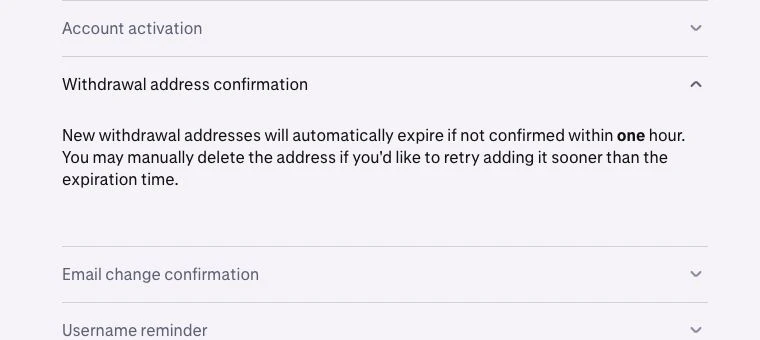
If your Kraken withdrawal address confirmation email is not arriving, first check whether the address actually needs email approval. Then separate a missing message from an expired link or an unexpected security request. Each situation needs a different response; adding the address repeatedly does not tell you which one you have.
This guide covers adding a cryptocurrency withdrawal address in the Kraken interface. It does not diagnose a withdrawal that has already been submitted.
Check the address status before searching your inbox
Open Kraken through your saved bookmark and inspect the address you just added. Kraken's address confirmation instructions say that a trusted device can approve a new address automatically. Otherwise, approval requires a link sent to the registered email address.
Use the account screen to decide what to investigate:
| What you find | Next action |
|---|---|
| The address is already approved | Stop waiting for a confirmation message; verify the destination before using it. |
| The address still requires email confirmation | Check delivery and the time of the address request. |
| A message arrived, but its link has expired | Start a fresh address request through Kraken after checking the destination again. |
| You never requested that address | Do not approve it; contact official support. |
An email sender allowlist and a withdrawal address allowlist serve different purposes. One affects your mailbox; the other controls withdrawal destinations. Changing one does not configure the other.
If the message is missing, check delivery once systematically
Confirm you are checking the mailbox registered to the Kraken account. Search all folders, including spam and junk, for Kraken's automated sender, [email protected]. Review blocked senders and mailbox rules that could move its messages.
Kraken's email delivery guidance recommends checking spam, allowing its sender addresses, reviewing blocks, and asking the email provider about suppressed delivery. Its email settings guide provides provider-specific allowlisting instructions. Follow the section for your provider instead of disabling spam protection for every sender.
Keep a short private note of the request time and which checks you completed. This makes the next attempt comparable: did the new request produce a message after you changed a mailbox setting? A missing message alone does not establish whether Kraken, the mail provider, or a local filter caused the problem.
If the link expired, distinguish the old request from the new one
Kraken gives an emailed address approval link a one-hour lifetime. Its delivery guide also says an unconfirmed new address expires after one hour; removing that unconfirmed entry lets you retry sooner. This describes an address awaiting approval, not a reason to delete working destinations.
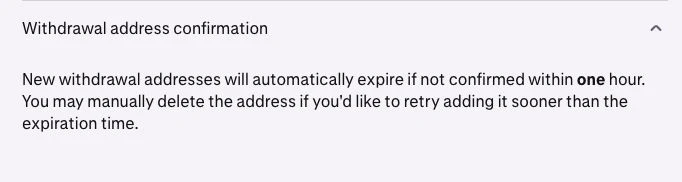
Official Kraken Support detail, captured October 13, 2026. Source: Email delivery issues.
Before a fresh request, obtain the destination from the receiving wallet or platform again and verify the asset and network. When a message arrives, compare its request time and destination with the action you just performed. Do not choose a message merely because it appears at the top of a conversation thread.
After approval, return to the account screen to check the result. Address approval and successful delivery of funds are separate events. For a new route, review how to make and verify a small test withdrawal, including the receiving service's minimum and the withdrawal fee.
If the request is unfamiliar, stop the confirmation process
Kraken says to contact support immediately if an address confirmation arrives for an address you did not add. Open support from Kraken itself. Do not approve an unfamiliar destination to dismiss the alert.
For a message you expected, compare the actual sender and destination with Kraken's email authenticity guidance. A familiar display name alone is insufficient. That guidance also states that support will not ask you to remove 2FA or grant remote access to your device. Our checklist for suspicious crypto emails explains the warning signs before you follow a message link.
What to include when delivery still fails
Use Kraken's official support channel and describe the stage where you stopped. A useful report includes the product interface, asset and network, request time with timezone, exact error wording, and delivery checks already completed. Say whether no message arrived or a message arrived with an unusable link; those are different failures.
If support needs a screenshot, show the relevant status or error and redact unrelated personal details. Never send passwords, authentication codes, or the full approval link. Keep troubleshooting in the official ticket rather than accepting unsolicited help in social messages.
Official instructions checked October 13, 2026. Interface labels and account requirements can change; follow the current prompts in your account.