
Security
Password managers for crypto accounts: hygiene that scales
Unique passwords, fewer phishing success stories, and a calmer recovery story—if you set the vault up carefully.
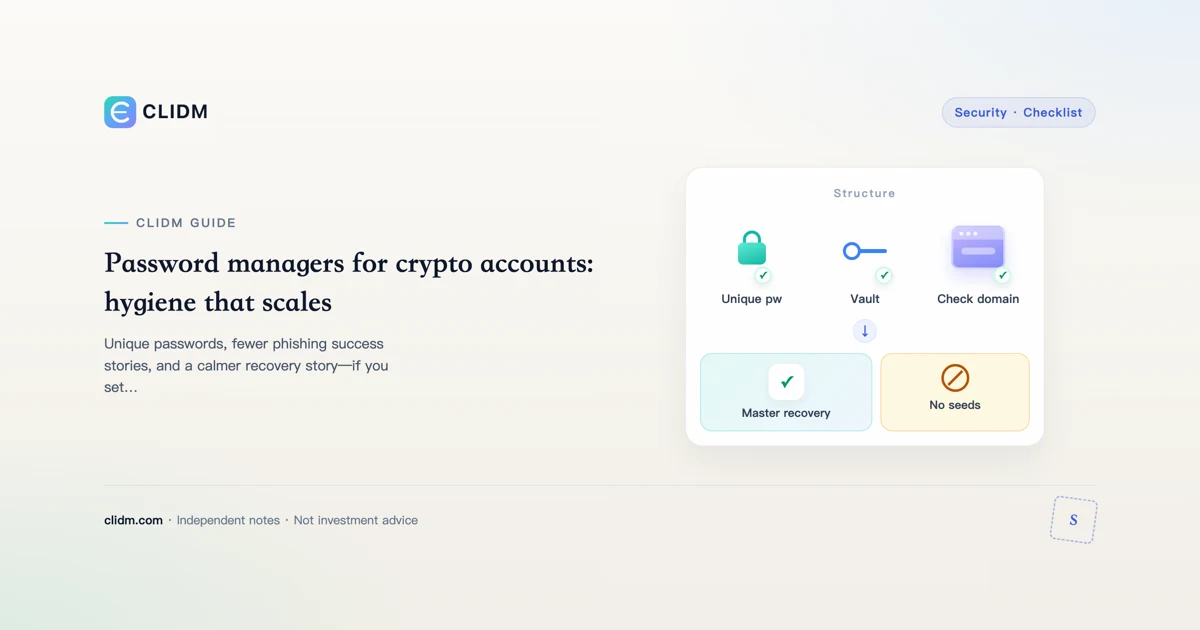
Password managers for crypto accounts: unique secrets at scale
Password reuse is how one breach becomes many. A password manager is how adults scale unique secrets for email, exchange logins, and related accounts.
What it is for
Generate long random passwords; store them encrypted; autofill only on matching domains; reduce reuse. It is not a casual place for seed phrases unless you have an expert threat model.
Exchange checklist with a vault
Unique password per exchange and email; authenticator 2FA; anti-phishing code; withdrawal allowlist; vault entry named brand+purpose+year; 2FA backup codes offline (2FA guide).
Autofill as phishing defense
If autofill refuses a lookalike domain, stop and celebrate the friction. Open your bookmark. See verify official site and phishing red flags.
Master password and restore tests
Long unique master password; vault 2FA if available; test restore on a spare device before panic day; migration weekend for money-moving accounts first.
Separation of powers
Email password ≠ exchange password ≠ authenticator device ≠ offline backup codes ≠ seed phrases.
Related
Autofill only after domain discipline

A password manager is strongest when it refuses lookalike domains.
Why crypto accounts punish password reuse harder
Exchange accounts combine email recovery, device sessions, and withdrawal destinations. A reused password from a breached shopping site can become a full account takeover path—especially if 2FA is weak or SMS-based. A password manager is not optional polish; it is how you keep unique, long secrets without memorizing them.
Minimum viable setup
- Choose a reputable password manager; install only from official stores or the vendor site via bookmark.
- Create a strong master password you have never used elsewhere; write a recovery plan offline.
- Generate unique passwords for exchange, email, and any cloud that holds 2FA backup scans.
- Store TOTP only if you accept the manager as a second factor host—or keep authenticator separate for defense in depth.
- Enable the manager’s own 2FA / device approvals.
Crypto-specific entries to store
- Exchange login + note of anti-phishing code wording
- Support ticket IDs (not secrets)
- Withdrawal allowlist status reminders
- “Official URL” field you typed yourself after domain verification
Never store seed phrases in a cloud-synced password manager unless you fully accept that cloud compromise model—most CLIDM readers should keep seeds offline.
Phishing and autofill traps
Autofill can train you to trust the field, not the domain. Before filling credentials:
- Check the domain character-by-character (verify site)
- Prefer opening the bookmark first, then unlocking the manager
- Refuse “login to claim airdrop” pages that appear in DMs
Device loss playbook
If the phone with your manager dies: use the offline emergency kit you prepared (recovery key + secondary device policy). If you never printed recovery material, the manager is a single point of failure—fix that before funding size grows.
Pair with the rest of the stack
Password manager + authenticator 2FA + backup codes + allowlists beats any single control. Review entries after major life changes (new laptop, travel phone, shared family devices).
Weekly maintenance (5 minutes)
- Reject weak reused entries still sitting in the vault
- Confirm exchange URL field matches your bookmark
- Rotate any password typed on a suspicious page
- Verify authenticator still produces codes after phone backup restores
Threat models the vault does and does not cover
Covers well: password reuse, weak passwords, phishing when you verify domain before fill.
Does not cover: malware that reads unlocked vault memory, sim-swap of recovery SMS, seed phrases you foolishly stored as “secure notes,” or family shoulder-surfing your master password.
Secure-note policy for crypto
Allowed: ticket IDs, non-secret settings reminders, official URLs you typed.
Forbidden by default: seed phrases, raw 2FA secrets if you already use a separate authenticator, full ID scans.
If you must store a recovery code, prefer offline paper plus a second sealed location over a pure cloud vault.
Migration day playbook
When switching managers:
- Export only on an offline-capable clean device if the vendor requires export
- Import into the new vault
- Rotate the highest-value passwords (email, exchange) immediately
- Destroy old export files with secure delete
- Re-test login on bookmarked domains
Metrics that show the system works
- Zero reused exchange passwords
- Master password age known; recovery kit tested in the last 12 months
- Autofill never trained you to ignore domains
Operator close-out for password manager crypto hygiene
Before you increase size on this topic, freeze three written lines in a private note: (1) the single main risk in plain words, (2) the cash you can lose without changing rent/food plans, (3) the official URL or app path you will use—no chat links. If any line is blank, you are still in research mode.
Scenario table (fill with your numbers)
| Scenario | What you will do | What you will not do |
|---|---|---|
| Calm weekday | Follow checklist | Expand size on impulse |
| After a loss | Journal first | Revenge trade |
| Travel / new device | Re-verify bookmarks + 2FA | Withdraw large sums |
| Stranger urgency | Slow down | Share codes or seeds |
Common process failures unique to rushed readers
- Skimming only the intro and assuming the middle is marketing
- Treating one successful tiny action as a lifetime license to size up
- Saving secrets in the same cloud album as family photos
- Updating the app and assuming menus and fee labels stayed put
- Borrowing confidence from group chat screenshots instead of primary docs
Seven-day micro-curriculum
Day 1: re-read this guide slowly and highlight unknowns.
Day 2: open only official docs for the product surfaces mentioned.
Day 3: complete security hygiene if the topic touches accounts.
Day 4: paper the steps without value, or with dust if transfers apply.
Day 5: one real micro action at boring size.
Day 6: journal fees, emotions, and mistakes.
Day 7: decide explicitly to pause or continue—with a cash cap.
Refusal lines worth rehearsing
“I do not move funds from links in messages.”
“I do not share recovery words with support.”
“I do not increase size to win back a loss.”
“I can leave money uninvested while I learn.”
How this page connects to the rest of CLIDM
Use the learning path for sequence, the security hub for account controls, and topic siblings linked above for depth. CLIDM optimizes for checklists and refusal skills—not trade calls. Re-check live UI labels after every major app release; educational articles lag product copy on purpose.
Educational content only. Not investment, legal, or tax advice. Digital assets can lose value. Re-check official pages via bookmark. Last reviewed: 2026-07-27. Learning path.