
Security
Seed phrase backup mistakes that quietly destroy self-custody
Self-custody fails operationally more often than people admit. These backup mistakes are common and permanent.
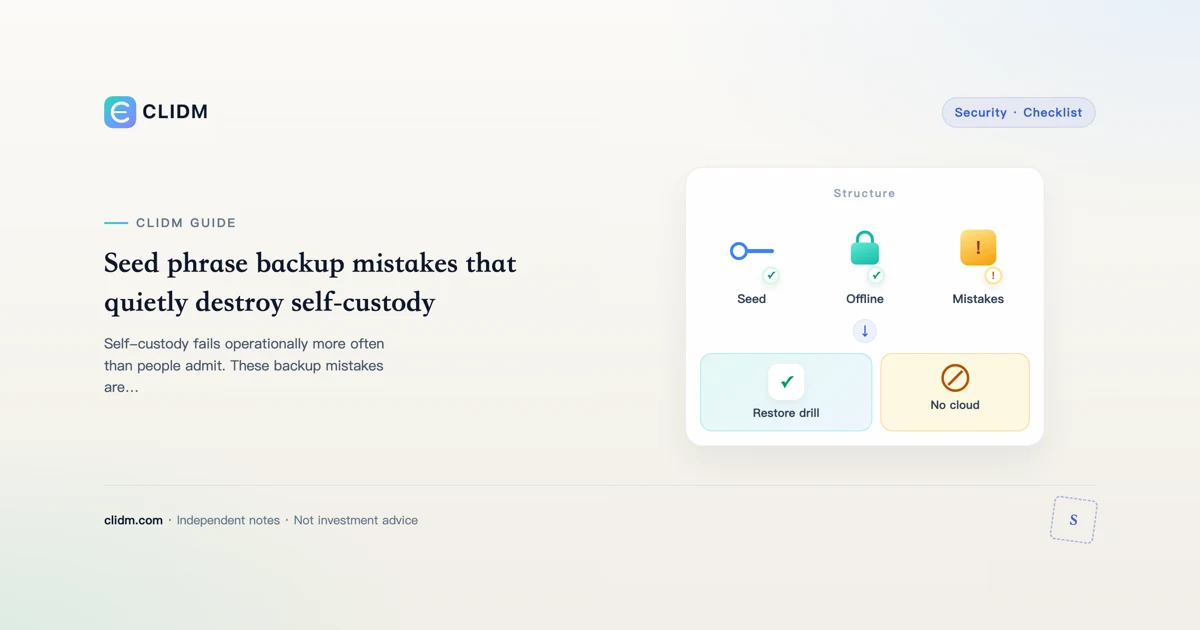
Seed phrase backup mistakes that quietly destroy self-custody
A seed phrase (recovery phrase) is master control for a wallet. If someone else has it, they do not need your password. If nobody can recover it—including you—the funds are gone. Most beginner disasters are operational, not cryptographic.
Mistake 1: Screenshots and cloud photos
Camera rolls sync. “Temporary” screenshots become permanent cloud objects. Treat any digital photo of a seed as a potential leak. Prefer offline media you control.
Mistake 2: Notes apps and email drafts
Searchable, synced, backed up to vendors, sometimes accessible via compromised email. Convenience here is the attack.
Mistake 3: Typing the phrase into random websites
“Wallet validation,” “sync,” “airdrop claim,” and “support recovery” pages that ask for the phrase are hostile until proven otherwise. Real recovery happens inside software/hardware you initiated from a trusted path—not a cold DM link.
Mistake 4: Single copy in one house fire / one drawer
One copy is fragile. Two careful offline copies in different failure domains is a common mature pattern—without creating so many copies that leakage risk explodes. Write a simple map for inheritance without publishing it online.
Mistake 5: Buying pre-initialized hardware wallets
If someone else generated the seed, assume they can still use it. Unbox sealed devices from reputable purchase paths and generate keys yourself following official docs.
Mistake 6: Sharing the phrase for “help”
No legitimate helper needs the full phrase to “check your wallet.” They need a receive address or public information you choose to share. Full phrase sharing is transferring ownership.
Mistake 7: Skipping a restore test
A backup you never restored is a hope, not a backup. On a low-stakes wallet, practice restore before you deposit size. Confirm the same addresses appear.
A cautious beginner path
- Learn exchange security first if you are brand new.
- When ready for self-custody, start with a tiny amount.
- Generate wallet offline/hardware as appropriate to your threat model.
- Write the phrase carefully; verify word order.
- Store offline; no photos.
- Test restore.
- Only then move larger long-term holdings.
- Keep a written emergency plan for device loss.
What CLIDM will not do
We will not ask for your phrase. We will not publish “just paste it here to verify” tools. If any page claiming to be us asks for seeds, it is fake.
Closing standard
Self-custody is a skill stack. Backup quality is the skill that decides whether “not your keys” is empowerment or a very expensive lesson.
Decision log template
Write offline before you act: (1) skill I am practicing today, (2) maximum money I can lose without panic, (3) actions I refuse under social pressure, (4) the exact official domain I bookmarked myself. Keep the log boring—boredom is a feature.
CLIDM quality bar
We optimize for checklists, failure modes, and order of operations. We do not publish trade signals or guaranteed outcomes. Product UIs and fee schedules change; re-open official pages before you move size. Last reviewed: 2026-07-27.
Educational content only. Not investment, legal, or tax advice. Digital assets can lose value. Availability differs by region.
Restore test is the real backup
A phrase you never restored is hope. On a low-stakes wallet, practice restore before depositing size. Confirm addresses match. Never type seeds into websites from DMs. See custody vs seed and cold storage vs exchange.
Storage anti-patterns
Cloud screenshots, email drafts, chat “helpers,” pre-initialized hardware, single house-fire copy. Prefer offline copies in distinct failure domains without multiplying leaks.
High-frequency mistakes
- Photos of seeds in cloud albums
- Voice notes or email drafts
- “Helpful” browser extensions asking to validate phrases
- Single-copy paper that floods or burns
- Sharing words with romantic partners without a plan
Better defaults
Offline duplicates in separate locations, tested restore with dust, never type seeds into websites, and inheritance notes that describe where knowledge lives.
Restore-test protocol (dust only)
- Create or use a wallet with only dust
- Write the phrase on durable offline media
- Wipe or remove the wallet app/device access
- Restore on a second device from the backup alone
- Send dust out to prove control
- Only then consider real size
A backup never restored is a hope, not a control.
Geographic separation without complexity theater
Two copies in one apartment is one fire. Consider: home safe + trusted relative sealed envelope, or home + bank safe deposit where available. Avoid “clever” metal stamping tutorials from random videos that skip tamper and theft models.
Social engineering around seeds
Anyone who needs your words to “validate,” “sync,” “claim,” or “support” is attacking you. Exchange support for custodial balances never needs a seed. Hardware vendors do not need your phrase in a web form.
Inheritance one-pager
Write where the process lives, not necessarily the words themselves, in a place your executor can find under local law. Include which official docs to open first. Revisit yearly.
Operator close-out for seed phrase backup mistakes
Before you increase size on this topic, freeze three written lines in a private note: (1) the single main risk in plain words, (2) the cash you can lose without changing rent/food plans, (3) the official URL or app path you will use—no chat links. If any line is blank, you are still in research mode.
Scenario table (fill with your numbers)
| Scenario | What you will do | What you will not do |
|---|---|---|
| Calm weekday | Follow checklist | Expand size on impulse |
| After a loss | Journal first | Revenge trade |
| Travel / new device | Re-verify bookmarks + 2FA | Withdraw large sums |
| Stranger urgency | Slow down | Share codes or seeds |
Common process failures unique to rushed readers
- Skimming only the intro and assuming the middle is marketing
- Treating one successful tiny action as a lifetime license to size up
- Saving secrets in the same cloud album as family photos
- Updating the app and assuming menus and fee labels stayed put
- Borrowing confidence from group chat screenshots instead of primary docs
Seven-day micro-curriculum
Day 1: re-read this guide slowly and highlight unknowns.
Day 2: open only official docs for the product surfaces mentioned.
Day 3: complete security hygiene if the topic touches accounts.
Day 4: paper the steps without value, or with dust if transfers apply.
Day 5: one real micro action at boring size.
Day 6: journal fees, emotions, and mistakes.
Day 7: decide explicitly to pause or continue—with a cash cap.
Refusal lines worth rehearsing
“I do not move funds from links in messages.”
“I do not share recovery words with support.”
“I do not increase size to win back a loss.”
“I can leave money uninvested while I learn.”
How this page connects to the rest of CLIDM
Use the learning path for sequence, the security hub for account controls, and topic siblings linked above for depth. CLIDM optimizes for checklists and refusal skills—not trade calls. Re-check live UI labels after every major app release; educational articles lag product copy on purpose.